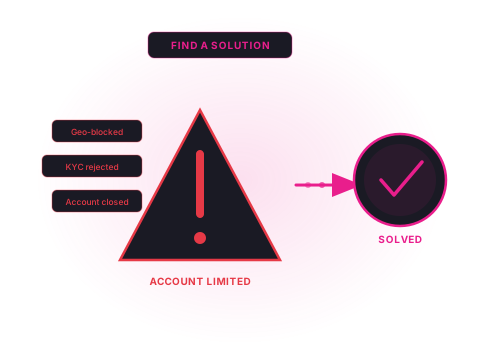
Common Bettor Problem

Stuck on Exchange Verification : What to Submit and How to Pass

Exchange verification follows a structured process, and most failures are avoidable once you understand what the system is actually checking. This guide covers KYC requirements for the major exchanges and the most common reasons bettors get stuck.

Jump to Solutions →
Betting exchange account verification : common problems and solutions

Betting exchange verification is a mandatory process that every account holder must complete before withdrawing funds. It's a legal requirement tied to the exchange's operating licence, not an optional hoop to jump through. Most exchanges use a combination of automated document scanning and manual review, and the automated element is where most bettors get caught out.

The frustrating thing about exchange verification failures is that they're usually caused by technical image issues rather than actual document problems. Understanding what the automated system looks for (and what causes it to reject) turns a seemingly arbitrary process into a manageable one.

KYC Requirements Across the Major Exchanges

The core document requirements are consistent across exchanges, but there are differences in process, automation level, and what happens when initial verification fails.

Exchange Standard documents Selfie required? Processing time Ireland accessible?
Betfair Photo ID + proof of address Sometimes (if automated check fails) Minutes to 72 hours Yes, regulated in Ireland
Orbit Exchange Photo ID + proof of address Yes, standard requirement 24–48 hours (manual review) Yes, most countries accepted
Smarkets Photo ID + proof of address Sometimes Minutes to 48 hours Restricted: UK/Gibraltar focus
Matchbook Photo ID + proof of address No (standard) Minutes to 48 hours Yes; accepts most EU countries
Betdaq Photo ID + proof of address Sometimes Minutes to 72 hours Yes; Ireland regulated

Why Exchange Verification Fails

The automated document verification systems used by exchanges check several parameters simultaneously. Most rejections are caused by one of these:

Image Quality Too Low

The automated system cannot read the document's machine-readable zone (MRZ): the two lines of encoded text at the bottom of passports and the back of driving licences. This requires adequate resolution and lighting. Blurry images, dark corners, or glare from a screen are the most common causes. Use natural light and ensure all four corners of the document are visible in the frame.

Name or Address Mismatch

The name on your document differs from the name entered during account registration, even by a middle name, initial, or spacing difference. Similarly, if your proof of address uses a slightly different address format from your account registration (e.g., "Apt 3" vs "Apartment 3"), the automated match may fail. Check that your account registration details exactly match your documents before submitting.

Expired Document

A significant number of verification failures are caused by expired passports or driving licences. Automated systems check the expiry date in the document data. An expired document is rejected regardless of how clear the image is. Check the expiry date on your documents before submission; for proof of address, ensure the document is dated within the 3-month window specified by the exchange.

Wrong Document Type

Not all government-issued documents qualify. Many exchanges accept only passports, national ID cards, and driving licences, not voter registration cards, employee ID cards, or utility-bill-format documents for photo ID. For proof of address, the document type must typically be a utility bill, bank statement, or government-issued letter, not a private contract or insurance document.

How to Prepare a Successful Verification Submission

The most effective approach is to treat the submission as a single, prepared package rather than an iterative process. Each rejection and resubmission triggers a new manual review cycle, which extends the timeline.

  1. Verify that your documents are current: check the expiry date on your passport or driving licence. For proof of address, ensure the bill or statement is from the last 3 months.
  2. Confirm that the name and address on your documents match your account exactly: log into the exchange and check your account registration details. Update the account before submitting if there are discrepancies.
  3. Photograph or scan documents in high resolution: use a flatbed scanner if possible. If photographing, use natural or bright diffuse light. Ensure all four corners of the document are within the frame, with no glare, blur, or shadows.
  4. Use the correct document format: check the exchange's specific accepted document list in their verification section. Don't assume all government documents qualify.
  5. Submit ID and proof of address together in a single upload: submitting a complete package avoids triggering multiple separate review stages.
  6. Follow up with a reference and timeline request if no response within 48 hours: contact the exchange's KYC team by email (not chat) and request a reference number and estimated completion date.

When Exchange Verification Becomes a Structural Problem

For most bettors, exchange verification is a one-time process that resolves once the documents are submitted correctly. But there are scenarios where verification becomes a persistent problem: either because the exchange doesn't operate in your country, or because documents in your specific situation don't fit the standard KYC mould.

If your country is not on Betfair's accepted list, no amount of document preparation will resolve it: the exchange is not licensed to accept accounts from your jurisdiction. In these cases, Orbit Exchange has broader geographic coverage and is worth trying as an alternative. For bettors in countries where exchanges are generally restricted, licensed betting brokers can provide access to exchange markets through their own institutional accounts, though this works better for some exchanges than others.

If you have been unable to complete KYC across multiple platforms for structural reasons, such as not having utility bills in your own name, or living in a non-standard address arrangement, a broker's single KYC process may be more accommodating. Brokers often conduct verification through a relationship-based process rather than automated scanning, and their compliance teams are accustomed to handling unusual documentation situations.

Frequently Asked Questions

Why do betting exchanges need to verify my identity?

Betting exchanges are licensed gambling operators and are legally required to verify the identity of all account holders under Anti-Money Laundering (AML) and Know Your Customer (KYC) regulations. This is a condition of their operating licence, not a discretionary policy. Exchanges regulated in Ireland, the UK, and Malta are required to collect and verify identity documents before allowing withdrawals or, in some cases, before allowing any betting activity beyond a low initial threshold.

What documents are required for exchange account verification?

Standard requirements across all major exchanges are: a government-issued photo ID (passport, national ID card, or driving licence) and proof of address (utility bill, bank statement, or government-issued letter dated within 3 months). Some exchanges may also require selfie verification (a photo of you holding your ID), particularly if the automated document check cannot confirm the match. Source of funds documentation (payslips, bank statements) may be required for accounts with high turnover or large balances.

Why was my exchange verification rejected when the same documents passed at a bookmaker?

Different operators use different verification providers and have different automated matching thresholds. A document that passes at one operator may fail at another if: the image quality is slightly below the second operator's threshold, the address on the document differs slightly from what was entered during account registration, or the automated ID check has stricter matching requirements for the specific document type. Resubmit with a higher-quality image and ensure the name and address on the document exactly match your account registration details.

I live in a country where Betfair is blocked: will I be able to verify my account?

If Betfair does not operate in your country, you will not be able to open or verify a Betfair account. Betfair operates in specific licensed territories (primarily the UK, Ireland, Malta, Gibraltar, and Australia) and accepts accounts from residents of these and certain additional approved markets. If your country is not on Betfair's accepted list, verification will not succeed regardless of the documents provided. Some bettors in restricted markets access exchange liquidity through betting brokers that include exchange access as part of their platform.

How long does exchange account verification take?

For standard KYC (photo ID and proof of address), automated systems typically provide a result within minutes to a few hours. Manual review, which occurs when automated matching fails or when the documents require human assessment, typically takes 24–72 business hours. Source of funds reviews extend this timeline to 5–15 business days. Enhanced due diligence for high-value accounts can take 2–4 weeks. Submitting a complete, high-quality document package in a single submission is the most effective way to minimise the timeline.

Can I bet on an exchange before my account is verified?

Most exchanges allow limited activity before full KYC, typically deposits up to a certain amount and betting below a specific threshold. However, withdrawals are almost universally blocked until verification is complete. The exact pre-verification limits vary by exchange and by the regulatory framework applicable to your account. Check the exchange's verification page in your account settings for the specific thresholds and which activities are restricted.