If you've already opened a Betfair or Orbit account, the Matchbook registration process will feel entirely familiar, almost boringly so. The steps are nearly identical across regulated exchanges: create an account, verify your identity, make a deposit, start accessing markets. The details, document requirements, deposit methods, verification timelines, all follow the same regulatory framework governing licensed exchanges in Ireland and the EU.
The more interesting question isn't how to sign up. That takes ten minutes. It's whether a Matchbook account actually belongs in your existing exchange setup, and which markets you'd actually use it for. This guide covers both the admin side and the strategic context, so you walk in with realistic expectations of what Matchbook delivers.
Eligibility: Who Can Open a Matchbook Account
Nothing exotic here. You need to be 18 or older, the minimum age for licensed gambling activity across Ireland and the EU. You need to be resident in a supported country: Matchbook accepts customers from Ireland, though it's worth checking the current country list during registration if you're located elsewhere. You'll need to be able to pass KYC verification, which means a valid government-issued photo ID plus proof of current address. And you shouldn't already have an account. Operating multiple accounts on the same platform under the same identity is a terms violation across every regulated exchange, not just Matchbook.
How to Sign Up for Matchbook
- Visit the Matchbook website: Go to the official Matchbook site directly. Confirm the platform is available in your jurisdiction before starting. Ireland is a supported country.
- Click "Join" or "Register": The sign-up button is prominently displayed on the homepage. This opens the registration form.
- Enter your personal details: Full name (as it appears on your ID), date of birth, email address, and create a secure password. All details must be accurate; they will be matched against your verification documents.
- Provide your address: Full residential address is required. This must match the proof of address document you submit during verification, so use the exact format on your utility bill or bank statement if in doubt.
- Accept the terms and conditions: Read the responsible gambling information and terms before confirming. Setting optional deposit limits at this stage is advisable if you want to manage your betting activity from the outset.
- Verify your email: Check your inbox for the verification email and click the confirmation link. This activates the account and allows you to proceed to verification.
- Complete identity verification (KYC): Submit clear images or scans of your photo ID (passport, driving licence, or national ID card) and a proof of address (utility bill or bank statement dated within the past three months). Documents must be unexpired and clearly legible.
- Wait for verification approval: Standard verification takes 24–72 hours. You will receive an email confirmation when approved. Some accounts are processed faster; complex cases may take longer.
- Make your first deposit: Once verified, select a deposit method, choose your amount, and fund the account. The payment method used for deposit is typically required for future withdrawals under AML (anti-money-laundering) rules.
- Explore markets and start betting: Your account is now fully active. Browse the available sports markets, compare prices against other platforms you use, and start with the markets where Matchbook's liquidity is strongest for your intended stake sizes.
What to Expect After Signing Up
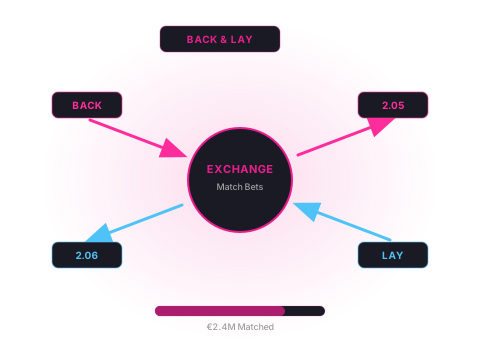
New Matchbook accounts get access to the full range of available markets once verification is complete and funding is in place. The interface will be instantly recognisable to anyone who's used Betfair or Orbit: back and lay columns, order book depth shown at each price, in-play indicators for live markets. Nothing that will slow you down.
Before placing your first bet, check the liquidity in the specific markets you plan to use. In Matchbook's stronger sports (NFL, NBA, top European football) available volume at competitive prices is adequate for moderate stakes. Where Matchbook is thinner than Betfair, adjust accordingly; you might need to offer a slightly better price to get matched, or just split larger stakes across platforms.
Commission gets deducted automatically on settlement, so there's nothing to manage manually. Losing bets incur no commission charge. Net profit after commission lands in your account balance the moment the market settles.
Common Issues During Sign-Up and How to Resolve Them
KYC document rejection: nine times out of ten it's just poor image quality, a blurry or partially obscured document. Re-submit with a sharper image taken in good lighting, make sure all four corners are visible and the text is legible, and double-check that the name and address on the document actually match what you registered with.
Payment method declined: some Irish bank cards block gambling transactions by default through online settings, which trips people up more often than you'd expect. If your deposit is declined, check whether gambling transactions are enabled in your banking app before assuming the problem sits with Matchbook. Most major Irish banks let customers toggle this independently.
Country restriction: if the registration form won't accept your country of residence, the platform isn't currently available in your jurisdiction. Ireland is supported, but if you're registering from elsewhere, or somewhere Matchbook isn't licensed, the form may just reject you. VPNs don't fix the underlying regulatory restriction, and they violate the platform's terms anyway, so don't bother.
If you're finding multiple exchanges a hassle to access, or want a simpler route to sharp bookmaker prices without all the exchange management overhead, licensed betting brokers give you a single-account alternative with access to multiple sharp books and exchanges in one place.
Frequently Asked Questions
- Can I sign up for Matchbook from Ireland?
- Yes. Matchbook accepts customers from Ireland. The registration process is straightforward: complete the online form, verify your identity with standard documents, and fund your account. There are no specific geographic restrictions that prevent Irish residents from opening or using a Matchbook account.
- What documents do I need to verify a Matchbook account?
- Matchbook requires standard KYC (Know Your Customer) documentation: a government-issued photo ID (passport, national ID card, or driving licence) and a proof of address (utility bill, bank statement, or official correspondence dated within the past three months). Documents must be clear, complete, and the details must match what you registered with. Blurry images or partially visible documents are the most common cause of verification delays.
- What is the minimum deposit for Matchbook?
- Matchbook's minimum deposit varies by payment method. Check the current deposit page during registration for the exact figures applicable to your preferred payment option. For meaningful betting activity, a starting balance that allows reasonable position sizes in your target markets is more important than the minimum. Matching the minimum deposit without considering usable liquidity at your intended stakes is a common beginner mistake on any exchange.
- How long does Matchbook account verification take?
- Verification typically takes between 24 and 72 hours for standard submissions with clear, complete documents. Some accounts are verified more quickly. The timeline extends if documents require manual review, if there are discrepancies between the registration details and the submitted documents, or if additional information is requested. You can usually browse markets before verification is complete, but deposits, withdrawals, and placing bets may be restricted until the process is finished.
- Can I use Matchbook on mobile?
- Yes. Matchbook has a mobile-compatible interface and an app for iOS and Android devices. The core back and lay functionality, live markets, and account management are available on mobile. The experience is generally adequate for placing bets and monitoring positions, though serious traders who use complex multi-leg strategies may find desktop more practical for order book management.
- What happens if my bet is not matched on Matchbook?
- Unmatched portions of a bet remain in the order book until another customer accepts them at your requested price, or until the market closes. You can cancel unmatched bets at any time before they are matched. In markets with lower liquidity, getting matched at the price you want may require patience or adjusting your price closer to the current market. In thinner markets, some bets may simply not find a match at your target price before the event starts.